
SignNow: Sign & Fill PDF Docs
SignNowProductivity
4.32.05K Reviews
- Version
- 9.26.0
- Installs
- 5.00M
- Age Rating
- Everyone
Screenshots
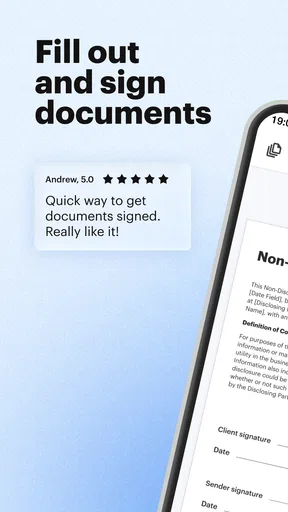
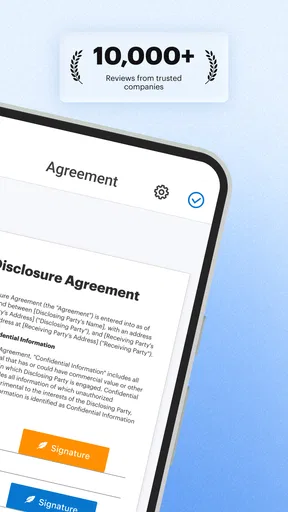
Our Review of SignNow: Sign & Fill PDF Docs
 Analysis by Appyee
I usually turn to a phone-based signing app when a document arrives at the wrong moment: I’m away from my desk, someone is waiting for a form, and printing, signing, scanning, and sending it back would add needless steps. SignNow: Sign & Fill PDF Docs is built for that kind of practical task. It’s a productivity app from SignNow, and its appeal is straightforward: get a PDF onto your phone, make the necessary changes, sign it, and pass it along without turning a quick errand into a desktop project.
That convenience has limits. A phone is a useful place to handle a short agreement or a form with clear fields, but it is not automatically the best place to inspect a long or legally important document. My view is that this app makes the most sense when the job is defined and the PDF is ready to go. If you need deep document editing, extensive review, or a carefully managed team process, a larger-screen tool may be a better fit.
From incoming PDF to completed document
I find the handoff works best when I decide what the next person needs before I start: a readable, completed PDF, a clear filename, and an agreed route for returning it. That small bit of planning helps prevent the blank original and signed copy from getting mixed up, especially when the document begins in shared storage. With the file prepared, the next step is checking whether the phone is still the right place to finish the job.
Starting with the file you already have
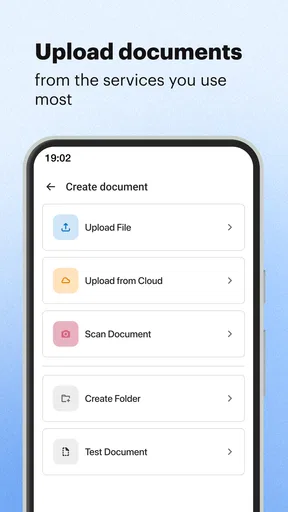
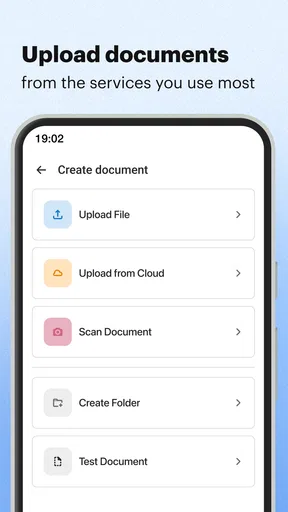
The first decision is where the document lives. For a PDF already on the phone, importing it is the natural starting point; for files kept in cloud storage, connecting through a service you already use can avoid a round trip through email. The app also supports capturing a physical page with the camera, which is handy when the only copy is on paper. Before signing, I’d check that the capture is straight, legible, and includes the full page. A signature cannot fix a cropped date or an unreadable clause.
This is one place where expectations matter: scanning a paper document gets it into a digital workflow, but it does not make the source text easier to review. I would use a clear, well-lit surface and inspect the resulting page before filling it in. If the document has several pages or small print, I’d rather review it on a larger screen first, then use the phone for the specific fields and signature.
Filling and signing without losing track
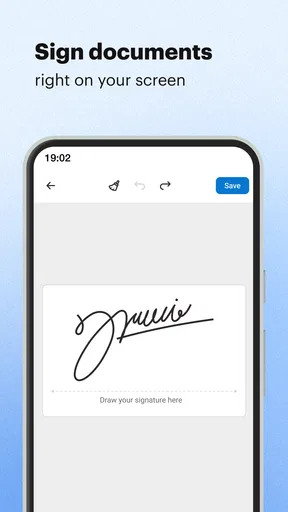
Once the PDF is open, the useful sequence is to read through it, identify every blank that actually needs an answer, fill those fields, and then check the completed pages before adding the signature. That last review is worth the extra minute. On a phone, it is easy to tap the wrong line or overlook a field near the bottom of a page, especially when the form is dense.
The form-filling tools and text autofill can reduce repetitive typing, but I would still verify names, dates, addresses, and other details manually. Autofill is a shortcut, not a proofreader. For a recurring form, keeping the source information ready in a note or password manager can be more dependable than trying to reconstruct it from memory while switching between screens.
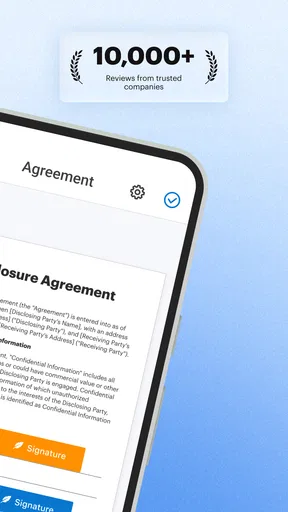
After the signature is placed, I’d reopen or preview the finished document rather than immediately sending it. Check that the signature sits in the intended box, that no required field remains blank, and that the final pages are present. This small quality check is especially helpful when the recipient needs a complete document rather than just a signed page.
Handing the document to the next person
SignNow connects with Google Drive, Dropbox, and OneDrive, so a file can move between the app and storage you may already use. That is more useful than it first sounds: if a form comes from a shared folder, you can avoid saving several confusing copies to the phone. I’d keep one clear source file, complete it, and then give the finished copy a name that distinguishes it from the blank version.
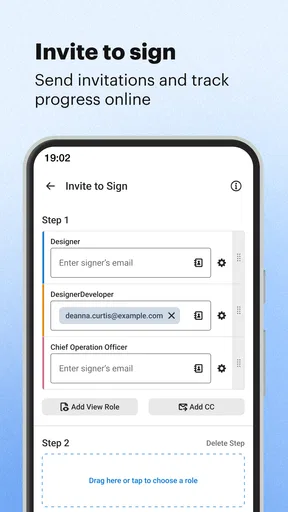
Sharing is also part of the workflow, not an afterthought. Before sending, confirm the recipient and the version attached; a completed form can contain personal or business information, and sending the wrong file is an avoidable mistake. For a document that needs a second person’s input, direct sharing can keep the handoff simple, but I would agree on who is responsible for the next step so the file does not get stranded in someone’s inbox.
Password protection is a useful extra when a signed file needs another layer of control. It also creates a practical handoff question: the recipient must be able to open it, so the password needs to reach them through an appropriate separate channel. If that extra coordination would slow down a routine exchange, I would weigh the sensitivity of the document against the inconvenience instead of adding protection automatically.
Where this workflow pays off
A realistic use is a school permission form sent while a parent is commuting home. They can open the PDF, fill in the details, sign it, inspect the result, and send it back before the paper deadline becomes a problem. The same pattern suits a short client approval, a rental document, or an internal form that needs one person’s signature. The benefit is not that the phone replaces every office task; it is that a bounded task can be finished while the person and the document are already in motion.
Against the usual alternatives, SignNow sits between basic PDF viewers and full desktop document suites. A viewer may be enough if you only need to read a file, while a desktop editor is often more comfortable for extensive changes, careful comparison, or complex layouts. Emailing a PDF back and forth can work, but it tends to create duplicate versions and makes the handoff harder to follow. SignNow is most compelling when signing and form completion are the main jobs, rather than one small part of a much larger editing project.
Where the flow can break
Phone screens are the main trade-off. They make a quick signature convenient, but close reading, precise placement, and navigating a long form can feel fiddly. A scanned page may also need a second look for clarity. If the document has complex formatting, many fields, or terms that deserve careful review, I would use a computer for the reading and editing, then choose a mobile workflow only if it genuinely saves time.
There is also a difference between occasional use and a regular document routine. The app is free to download, while in-app purchases range from $19.99 to $359.99 per item. I’d start with the tasks I actually need to complete and check whether the available workflow covers them before paying for a higher tier. Someone who signs only now and then may not need paid capabilities; a person handling documents repeatedly should compare the cost with the time saved and the collaboration tools they will truly use.
The app is rated for Everyone, has an average rating of 4.5 from around 11,000 ratings, and has passed 5 million installs. It was released on June 11, 2012, and version 9.17.1 requires OS 8.1 or later. Those details make it easy to judge whether it fits a device and to see that it has a substantial audience, but they do not answer the more important personal question: does your work consist mainly of straightforward PDF signing, or do you need a broader document editor?
Who I’d recommend it to
I’d recommend SignNow to people who regularly receive PDFs that need a few fields and a signature, especially when they are away from a computer or already store documents in a supported cloud service. It can also suit small teams with simple handoffs, provided everyone knows which copy is final and who sends it onward. For occasional tasks, the free download makes it easy to try the workflow before deciding whether extra capabilities are worthwhile.
I would skip it if your main need is to rewrite PDF content, make layout-heavy changes, compare versions in detail, or conduct a long review on a small screen. It is also not a shortcut around reading what you sign. For sensitive or consequential paperwork, I would take time to inspect the original and the completed copy, and use a computer when the screen size or document complexity calls for it.
Getting Started with SignNow
First things first, downloading and setting up the SignNow app was a breeze. Available on both Android and iOS, it’s just a quick install and you’re ready to roll. The interface is super user-friendly—no clutter, just straightforward options. You can sign up using your email or connect through Google or Facebook. I went the email route, and it was as smooth as butter.
Features That Stand Out
Now, let’s dive into what makes this app tick. The main feature, of course, is the ability to sign PDFs. You can either upload a document from your device, cloud storage, or even snap a photo of a physical document. The app recognizes it and lets you add your signature in a few taps. It’s like magic!
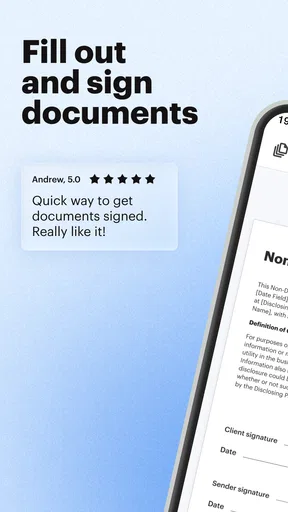
Filling forms is another feature that deserves a shout-out. Whether it’s a tax form or a school permission slip, you can fill in the blanks right on your screen. The app has text autofill options that save loads of time.
Seamless Integration
One of the things I love about SignNow is its integration capabilities. It works seamlessly with Google Drive, Dropbox, and OneDrive, making it super easy to import and export documents. Plus, if you need to collaborate, you can share documents directly from the app. Just a few clicks and your document is on its way to the next person in line.
Security and Reliability
For those of us who are a little paranoid about digital security, this app has got you covered. SignNow uses encryption to ensure your documents are safe and sound. There’s also an option for adding password protection to your signed documents, which is a nice touch.
On the reliability front, I’ve had zero issues. The app hasn’t crashed on me, and all my documents have been processed without a hitch. It’s always nice when an app just works, right?
Pricing and Accessibility
While the app is free to download, there are some premium features that require a subscription. The free version is great for occasional use, but if you’re someone who deals with lots of documents regularly, the subscription might be worth it. It unlocks features like unlimited templates and advanced collaboration options.
Accessibility-wise, the app is available in multiple languages, which broadens its usability across different regions. And since it’s on both major platforms, you can use it on pretty much any device you have.
Final Thoughts
All in all, SignNow: Sign & Fill PDF Docs is a fantastic tool for anyone handling digital documents. Its ease of use, robust features, and reliable performance make it a standout in the crowded field of productivity apps. Whether you’re signing a contract, filling out a form, or collaborating with colleagues, this app has got you covered.
If you’re still on the fence, I’d say give it a whirl. You might just find it’s the perfect solution to your paperwork woes. Happy signing!
My bottom line is to treat it as a focused way to finish a PDF task, not as a replacement for every document tool. If you can describe the job in a few steps—open the right file, complete a handful of fields, sign, check, and return it—the mobile flow is a sensible fit. When the work turns into editing, close reading, or managing many versions, I’d switch to a larger-screen editor and bring the phone back in when a signature is all that remains.
Verdict
Strengths of SignNow: Sign & Fill PDF Docs
- User-friendly interface for seamless navigation.
- Supports multiple file formats beyond PDFs.
- Offline mode for signing without internet.
- Integration with popular cloud storage services.
- Secure with advanced encryption and authentication.
Limitations of SignNow: Sign & Fill PDF Docs
- Limited features in the free version.
- Occasional syncing issues with cloud services.
- No batch processing for multiple documents.
- Learning curve for advanced features.
- Requires subscription for premium features.
Similar Picks in This Category
View All
Google Calendar
Google LLC4.6

Google Drive
Google LLC4.3

Google Assistant
Google LLC3.9

Microsoft OneDrive
Microsoft Corporation4.6

Samsung Calendar
Samsung Electronics Co., Ltd.4.1

Microsoft OneNote: Save Notes
Microsoft Corporation4.6
Frequently Asked Questions
What is SignNow and what features does it offer?
SignNow is an intuitive application designed for signing and managing PDF documents. It offers features like electronic signatures, document sharing, form filling, and secure cloud storage. Users can easily annotate PDFs, collaborate in real-time, and integrate with popular platforms like Google Drive and Dropbox for seamless document management.
Is SignNow secure for handling sensitive documents?
Yes, SignNow prioritizes security with robust encryption protocols to protect your documents. It complies with industry standards like GDPR and eIDAS, ensuring your data is safe and private. Additionally, the app provides audit trails and two-factor authentication for added security, making it reliable for handling sensitive information.
Can SignNow be used offline, and how does it sync data?
SignNow supports offline functionality, allowing you to sign and manage documents without an internet connection. Once you reconnect to the internet, the app automatically syncs your changes to the cloud, ensuring your documents are up-to-date across all devices. This makes it convenient for users who frequently work in areas with limited connectivity.
Is SignNow compatible with both Android and iOS devices?
Yes, SignNow is available for both Android and iOS platforms. It offers a consistent user experience across smartphones and tablets, allowing users to access their documents and features seamlessly on any device. Regular updates ensure compatibility with the latest operating system versions, providing reliable performance.
Does SignNow offer a free version, and what are the limitations?
SignNow offers a free version that includes basic features like document signing and limited storage. However, advanced functionalities such as team collaboration, bulk sending, and advanced integrations require a subscription. The free version is a great way to test the app’s capabilities before deciding on a paid plan.
